
Cross Section
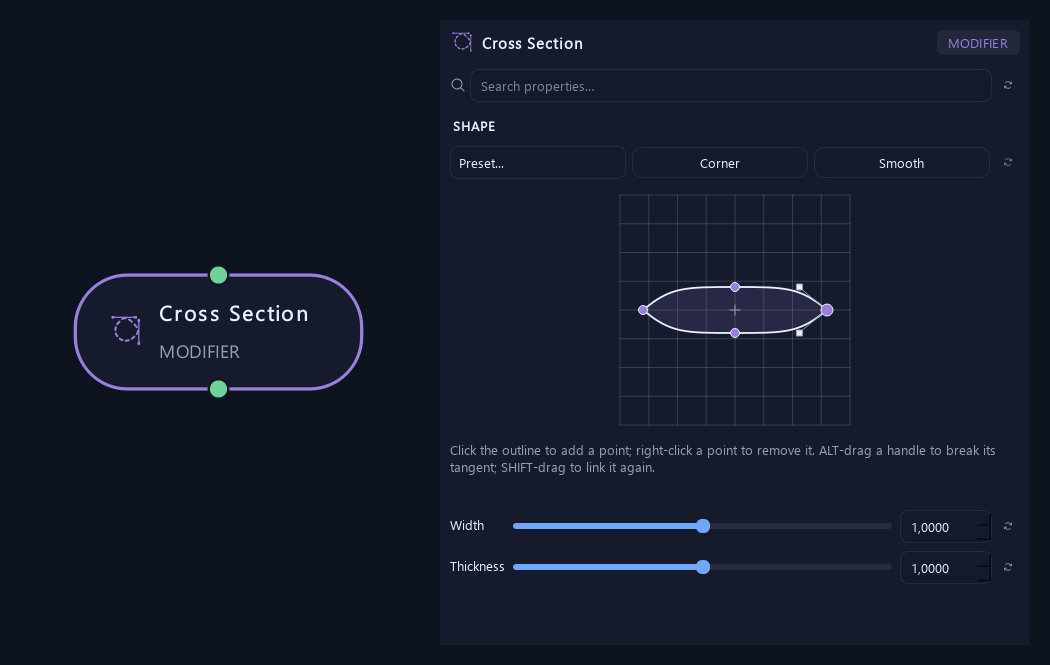
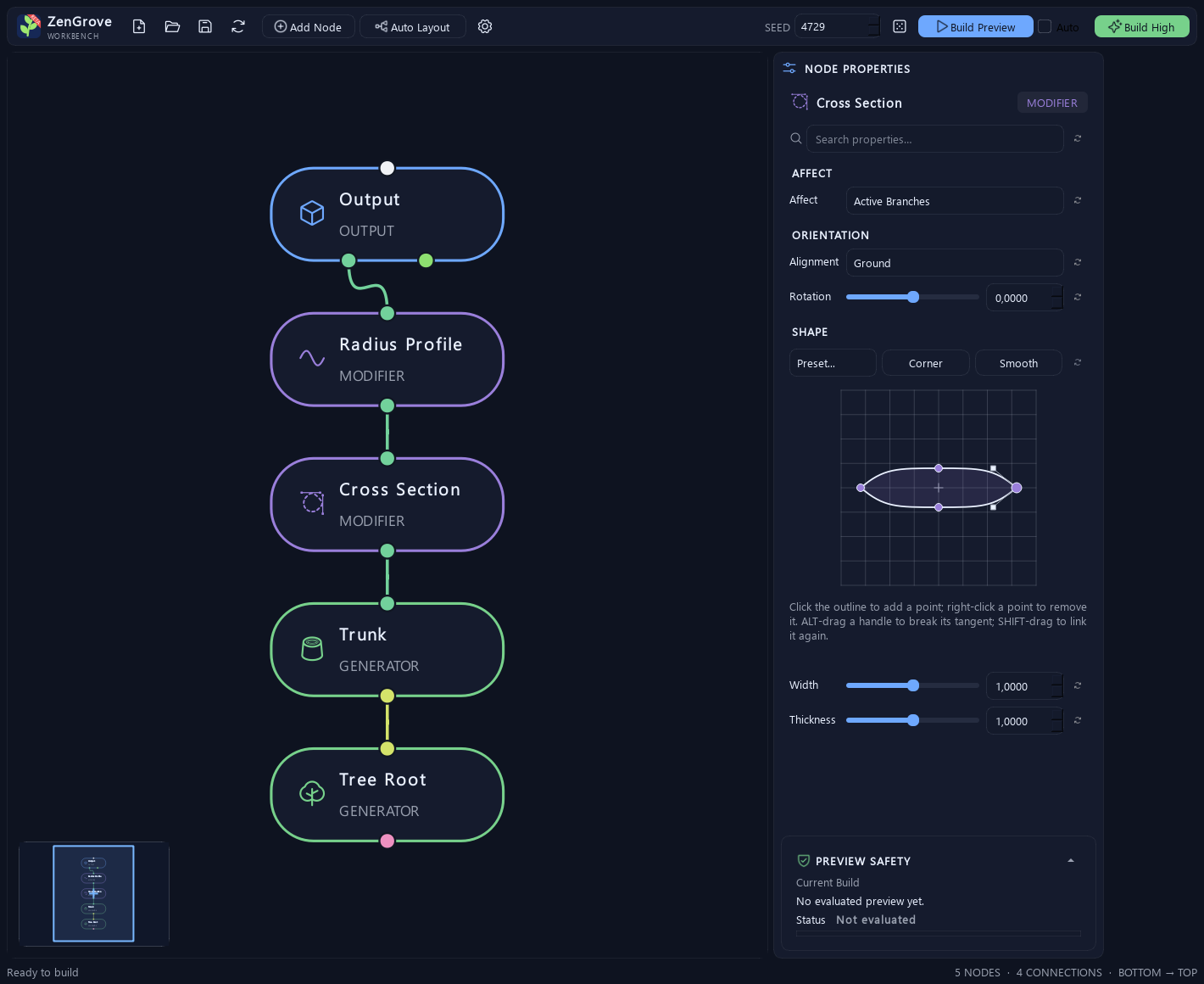
Shape flattened stems, lenses or angular profiles with a closed Bézier contour. Choose a preset, edit tangents and control how the cross section follows each branch.
Explore Cross Section →Shape the growth. Keep every possibility.
Build trees, roots, vines and modular plants inside Maya with 45 procedural nodes. Art-direct branching, guide growth with curves and forces, add your own foliage and prepare LODs, materials and game exports — all from an editable graph.
Permanent single-tool license · VAT may apply

A new modifier, more ways to branch and a clearer settings panel. Explore the latest additions to ZenGrove’s 45-node library.
Shape flattened stems, lenses or angular profiles with a closed Bézier contour. Choose a preset, edit tangents and control how the cross section follows each branch.
Explore Cross Section →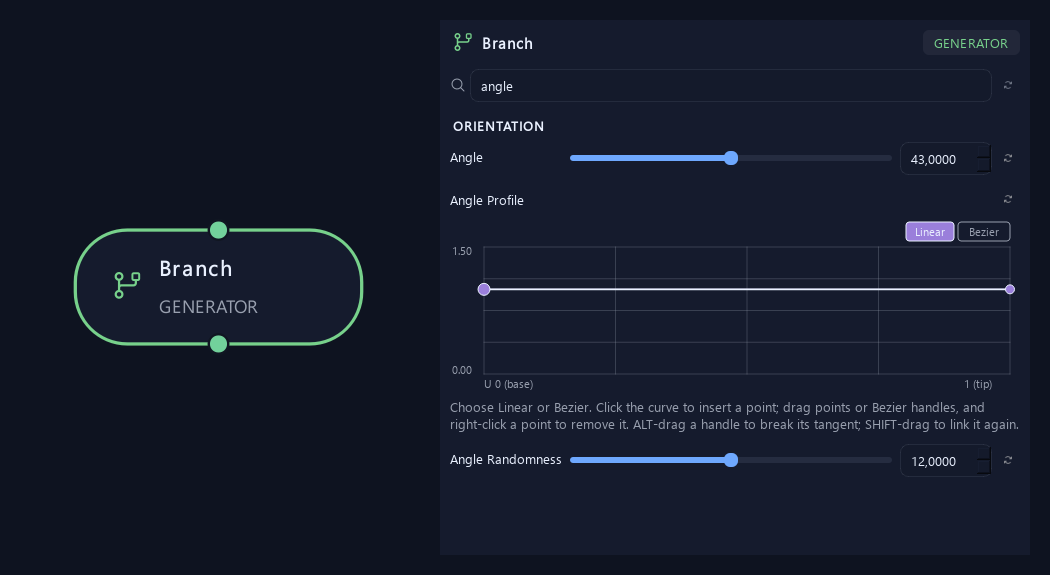
Type in Search properties to narrow the selected node’s controls. Its title and search stay visible while you scroll; matching advanced settings open automatically.
See the updated UI →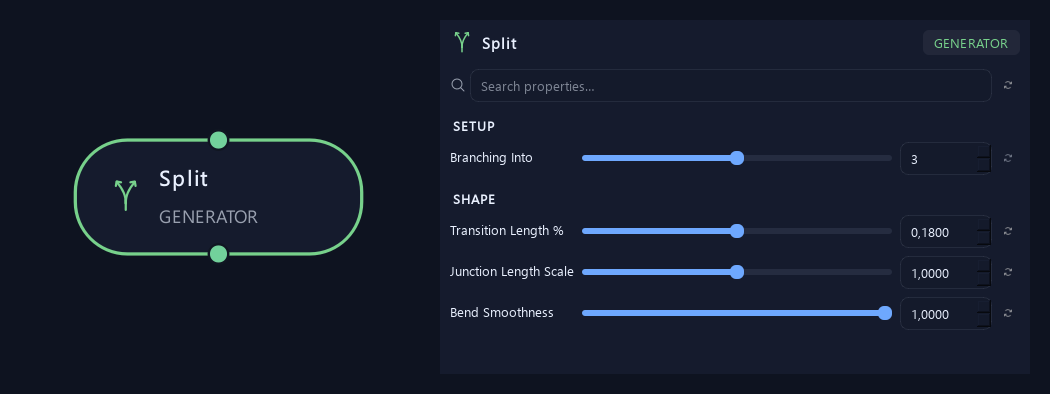
Choose two continuations for a welded fork, or three and more for a main continuation with side shoots. Shape their transition with the new Bend Smoothness control.
Explore Split →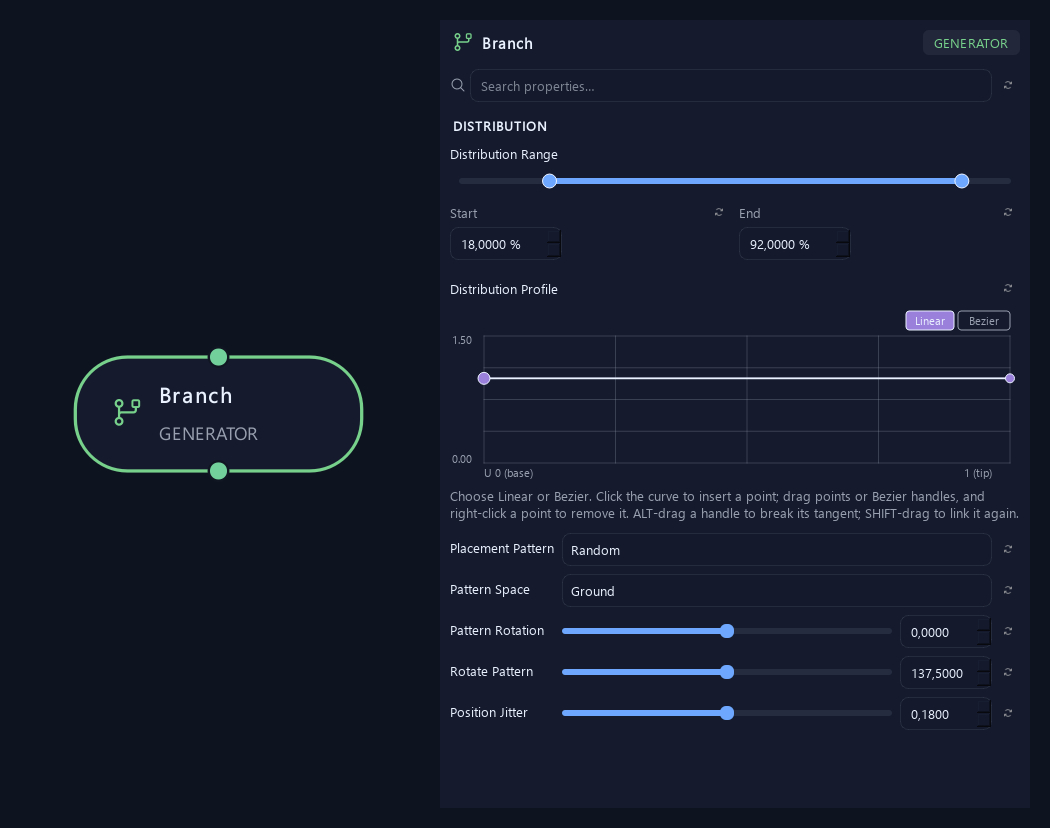
Use Count Variation, Distribution Profile and Scale Profile on Branch and Twigs to vary each layer, concentrate growth along its parent and shape the size of new branches.
Explore Branch profiles →Open the illustrated node reference → · Click any UI image to open it at full size.
Build the structure, shape how it grows and choose how it becomes geometry. Global and local seeds make variations repeatable; the source graph stays editable as the plant takes shape.
 View full image ↗
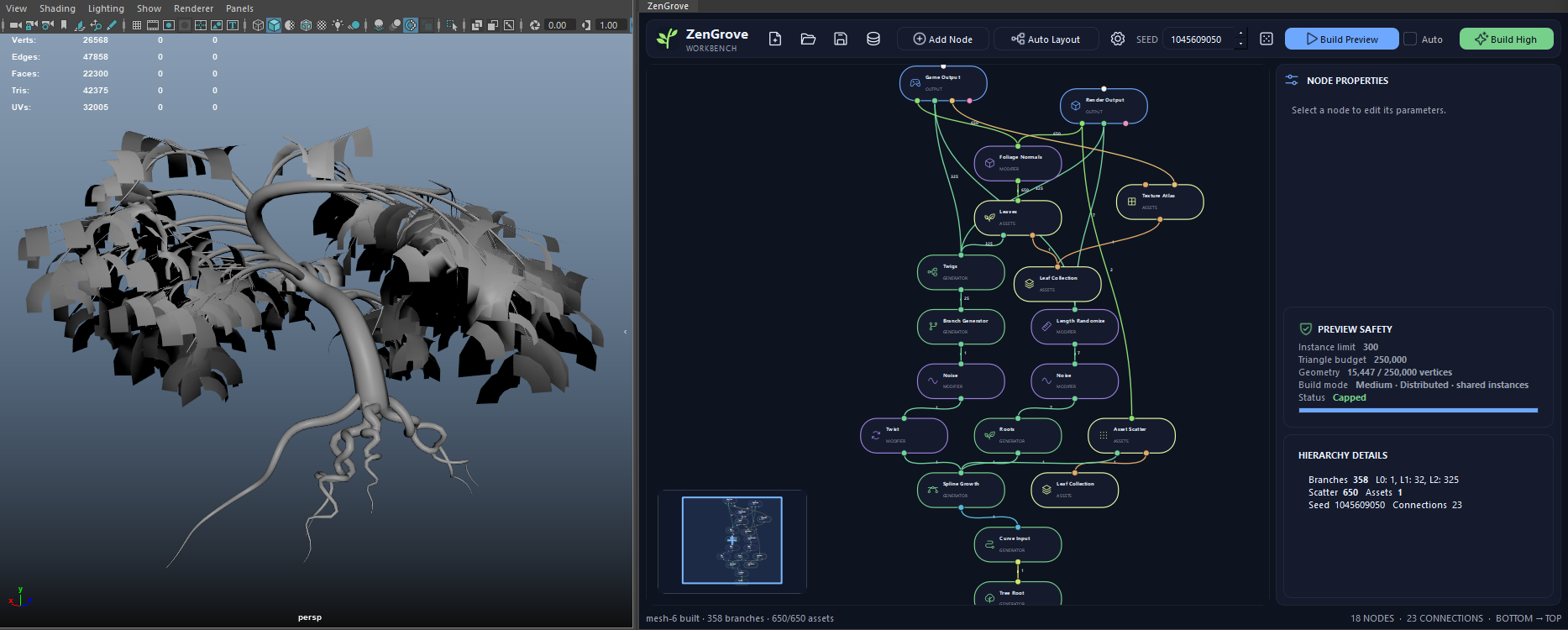
 Compose a complete plant from separate growth and foliage layers. Adjust its proportions and seed without rebuilding the graph from scratch. Maya viewport and graph shown.
 View full image ↗
 Use branching patterns, angle profiles and scale to explore structured forms such as this fern study. Small parameter changes reshape the silhouette.
 View full image ↗
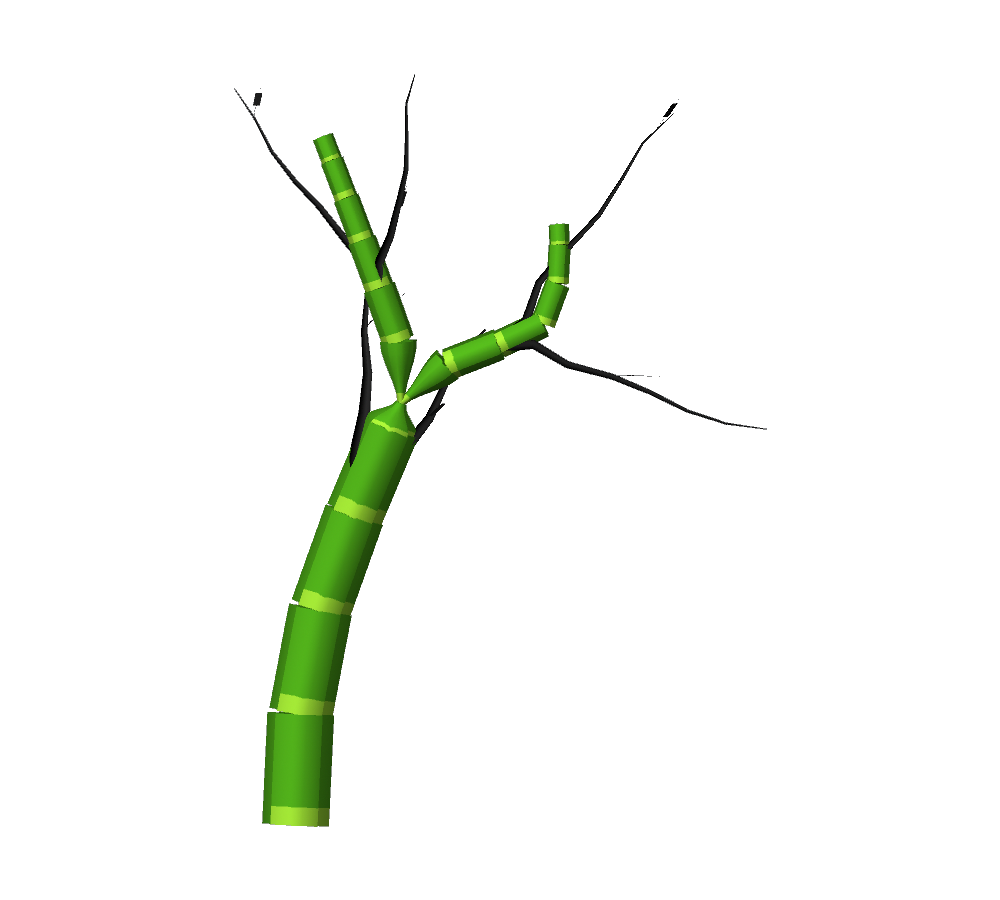
 Spline Segment Growth repeats captured assets along the final branch. Combine modular segments, Split and ordinary branches for bamboo-like or stylized plants. Maya viewport study shown.
 View full image ↗
 Shape a Lens cross section in the updated workbench. The node title and property search stay above the scrolling settings, with preview details tucked into an expandable panel. Save the editable graph as an .aoveg file.
Every node below is available in the editor. Select a node to see its Maya view and learn what each setting does.
Frames and comments are additional editor tools, not part of the 45-node count.
Keep the authored graph and choose the resolution, surface data and delivery format for the next stage of your workflow.
Use lightweight curve previews while shaping the plant, then build tube meshes, segment assets and foliage together. Resolution controls support uniform density or fixed counts. Geometry budgets and cancellation keep builds deliberate.
Set arc-length UVs for tube branches, separate cap charts and bark, cap and foliage materials. Asset-based geometry retains supported source UVs and materials. Foliage Normals and Vertex Color add dedicated surface controls.
Plan structural LODs with branch and foliage reduction. Game Output supports texture atlases, UV remapping, dilation, ORM packing, material consolidation, FBX and metadata for your pipeline.
LOD works from procedural structure rather than a generic mesh-reduction pass. Check exported materials, shaders and scale in your target engine.
The current Early Access price is €39.90 once. The planned price for the full 1.0 release is €79.90. The crossed-out amount identifies that future release price, not a former selling price. VAT may apply.
No. The current public version is 1.0.0-beta.2, an Early Access beta on the way to the full 1.0 release. Test it in your workflow and keep backups of production scenes.
Download the free AO.Hub, install it in Autodesk Maya and sign in. Choose ZenGrove in the Hub to purchase the permanent single-tool license and manage installation and updates. You do not need to buy the complete suite.
Yes. Curve Input captures Maya guides for spline growth. Asset Collection captures weighted geometry for Leaves, Asset Scatter and Spline Segment Growth. Segments repeat and align along successive spans of the branch; they are not continuously deformed through every curve sample.
The graph stores nodes, settings, connections and seeds, and can be saved as an .aoveg file. Build Maya geometry from that source when needed. Branch and root grafts use blended overlapping shells; they are not a guarantee of one welded, watertight mesh. Check topology and exports for the needs of your project.
Start at €39.90 during Early Access. The planned price for the full 1.0 release is €79.90. Buy once for a permanent single-tool license, with installation and updates managed through AO.Hub.
Permanent single-tool license · VAT may apply