
ZenGrove
Grow a plant, one node at a time.
Grow a plant, one node at a time.
Explore all 45 ZenGrove nodes for Maya with illustrated settings. Shape Cross Section profiles, create multi-way Splits, find properties and build procedural plants.
Contact Hull
Cuts growth where it meets a captured hull surface. Choose a blunt cut or a tapered contact tip.
Branches
Branches
Affect

- Affect
Chooses which branches are affected. Active Branches uses the latest generated layer. Active + Descendants also includes growth from that layer. Active Generated Hierarchy additionally includes ancestors created by that same generated contribution. Entire Input uses everything arriving here. Attached children follow a moved parent even when they are not reshaped themselves.
Hull
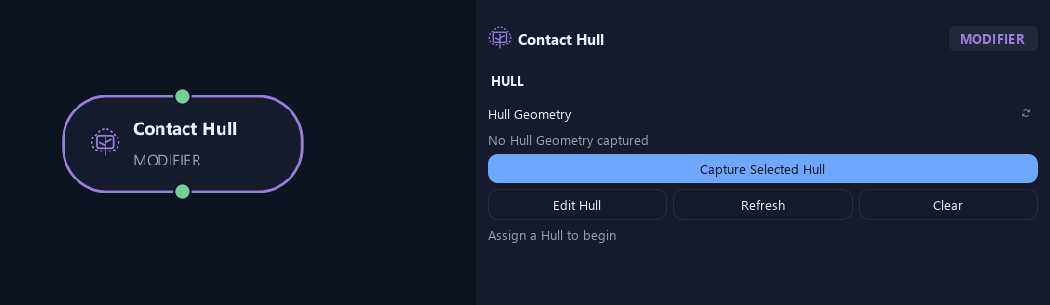
- Hull Geometry
Capture Selected Hull assigns a polygon boundary. Refresh updates it after edits; Clear removes it. Edit Hull selects the captured hull when available.
Contact
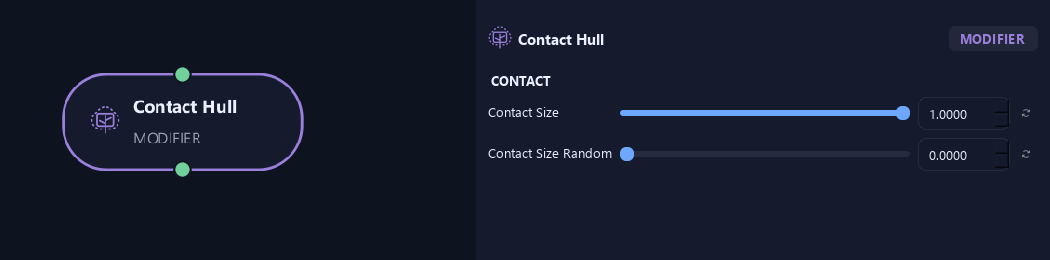
- Contact Size
Sets thickness at hull contact. One keeps current radius for a cut end; zero tapers to a fine tip.
- Contact Size Random
Varies contact-end thickness without moving the contact position.
What is ZenGrove used for?
Explore all 45 ZenGrove nodes for Maya with illustrated settings. Shape Cross Section profiles, create multi-way Splits, find properties and build procedural plants.
Which host application does ZenGrove support?
ZenGrove is built for Autodesk Maya and is distributed through AO Studio Tools.
Where can I download ZenGrove?
Download the current AO Studio Tools package from https://aostudio.tools/getthetools.html and install it through AO.Hub.